RBC Mobile App 2FA
Overview
RBC is one of Canada's largest banks, with over 20 million users. On the mobile experience, users must be protected from financial loss; two-layered security is crucial when logging in to accounts and ensuring proper authentication.
Impact
The team had created success criteria that were referenced throughout the testing phase. Overall, there was a 20% reduction in fraud after the 2FA feature was added.
Problem and Solution
We noticed a spike in online fraud at RBC, which is putting users' sensitive personal data at risk. Fraudsters have easy access to collect banking details or take over their accounts. To protect users, 2FA offers an additional layer of security to verify that the user is the account's owner and not just someone who knows the correct password.
Toggle Decision
One of the key challenges in the RBC 2FA toggle project was aligning multiple teams in a highly sensitive security space, where assumptions about user behavior and risk varied widely across stakeholders. Security, product, and legal teams each had strong perspectives on how much control users should have, which created tension early on in the design process. To move forward effectively, I grounded discussions in user research and real usage patterns, using prototypes and interaction examples to show how different design choices impacted clarity, trust, and confidence. This helped shift conversations from opinion-based to evidence-based decision-making, kept the experience focused and simple, and prevented unnecessary complexity. As a result, we reached alignment faster than expected, reduced design churn, and delivered a 2FA toggle experience that balanced strong security with user understanding and control.
Final Flow
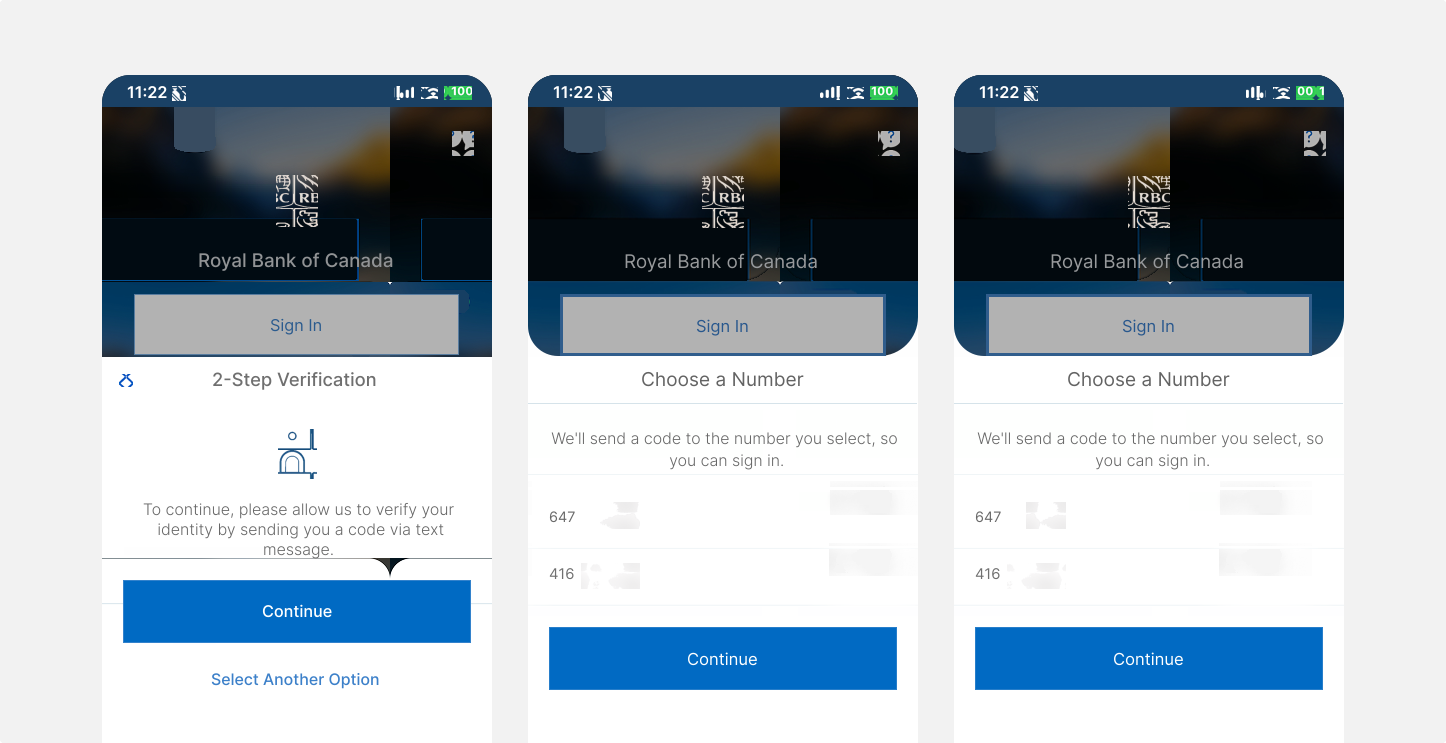
First-time 2-step verification users will need to verify their identity. In this case, the user receives text messages on their mobile with a one-time verification code, and after inputting the code, they will confirm if they signed in from another device.
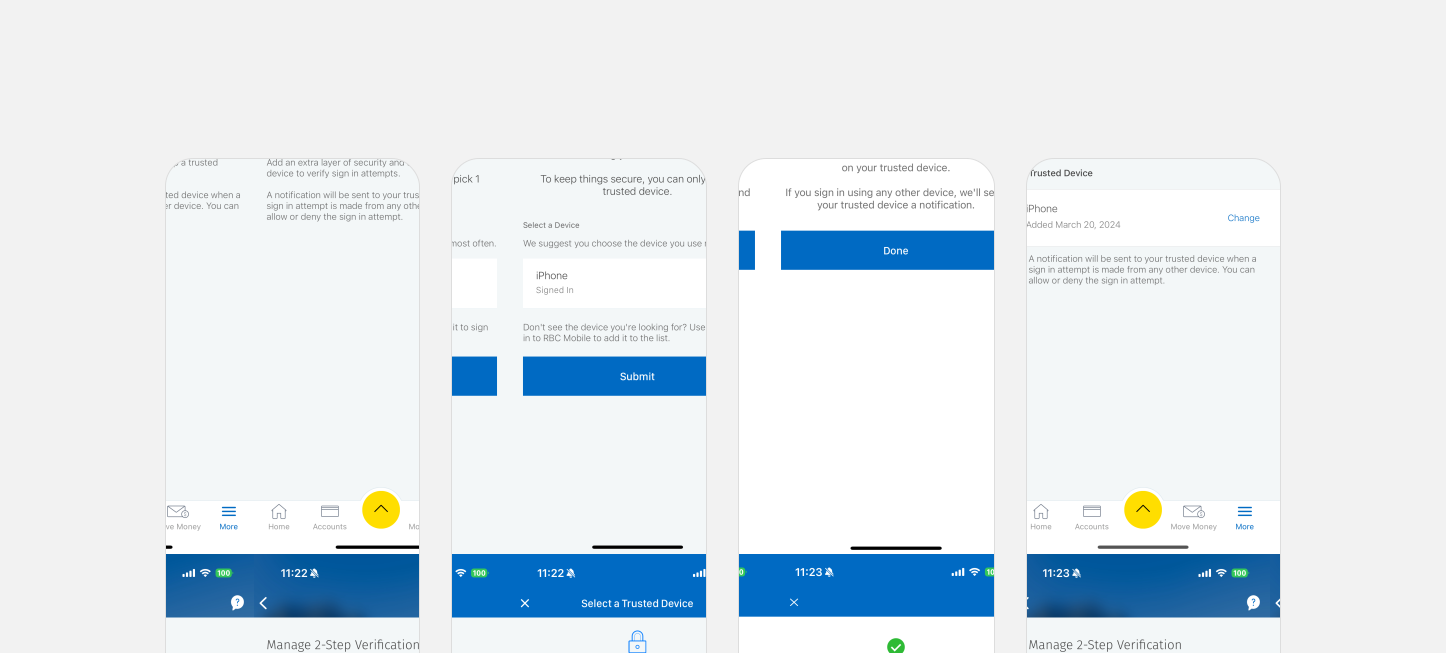
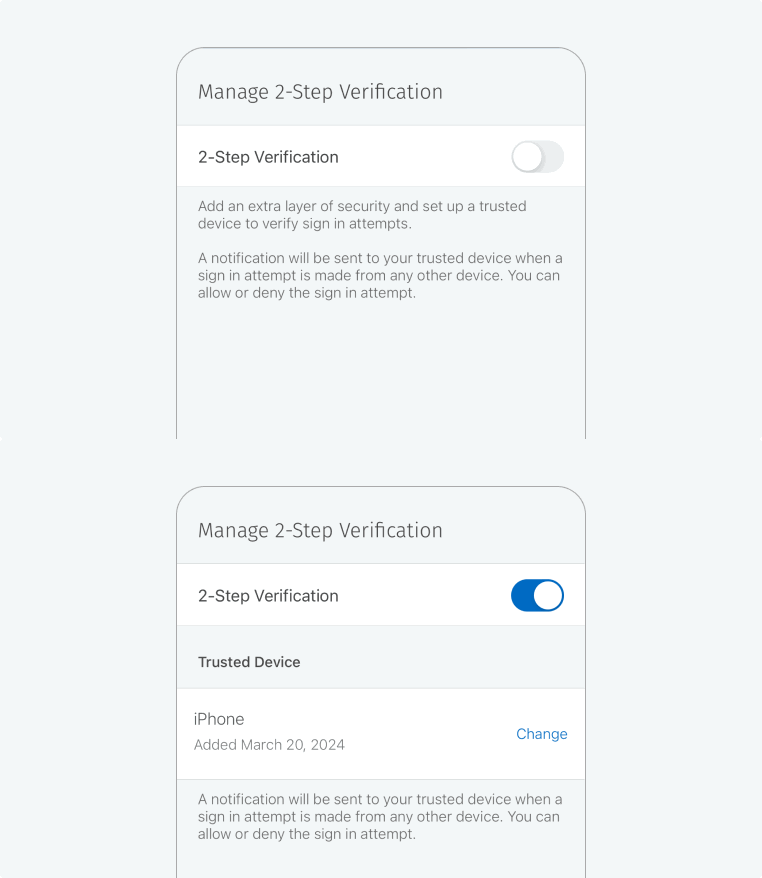
Activating the toggle button initiates 2-Step Verification, revealing your Trusted Devices for selection. To alter your chosen device, tap "Change" beside its name and pick another from the list.
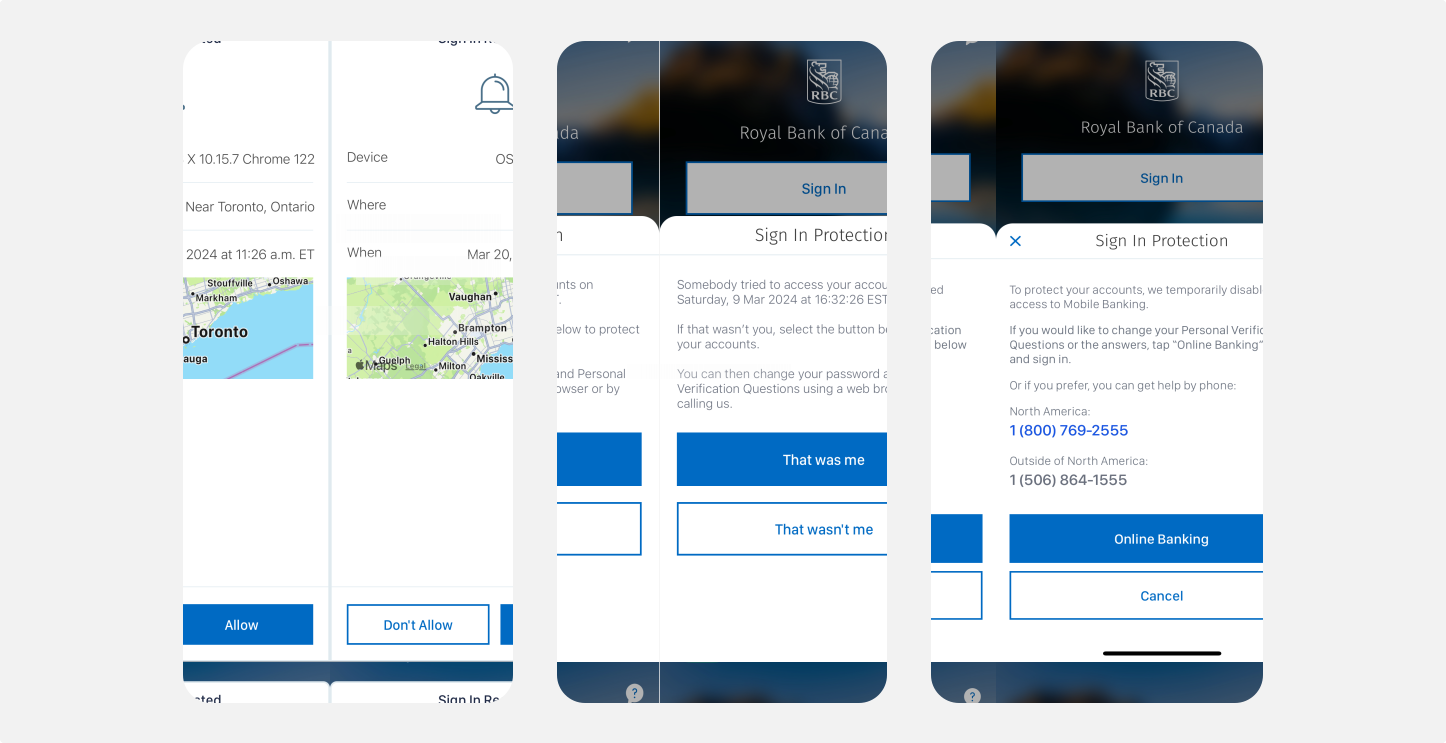
If the person trying to sign in is not you, you can contact RBC to prevent them from accessing your account.