Overview
SaaS Assure is a cybersecurity platform powered by Asigra. Third-party applications such as Microsoft 365, DevOps, and Salesforce can load their data onto the platform and integrate it into SaaS Assure for backup and recovery. The platform aims to provide an additional layer of security and the appropriate compliance of business-critical SaaS data, no matter the organization's size.
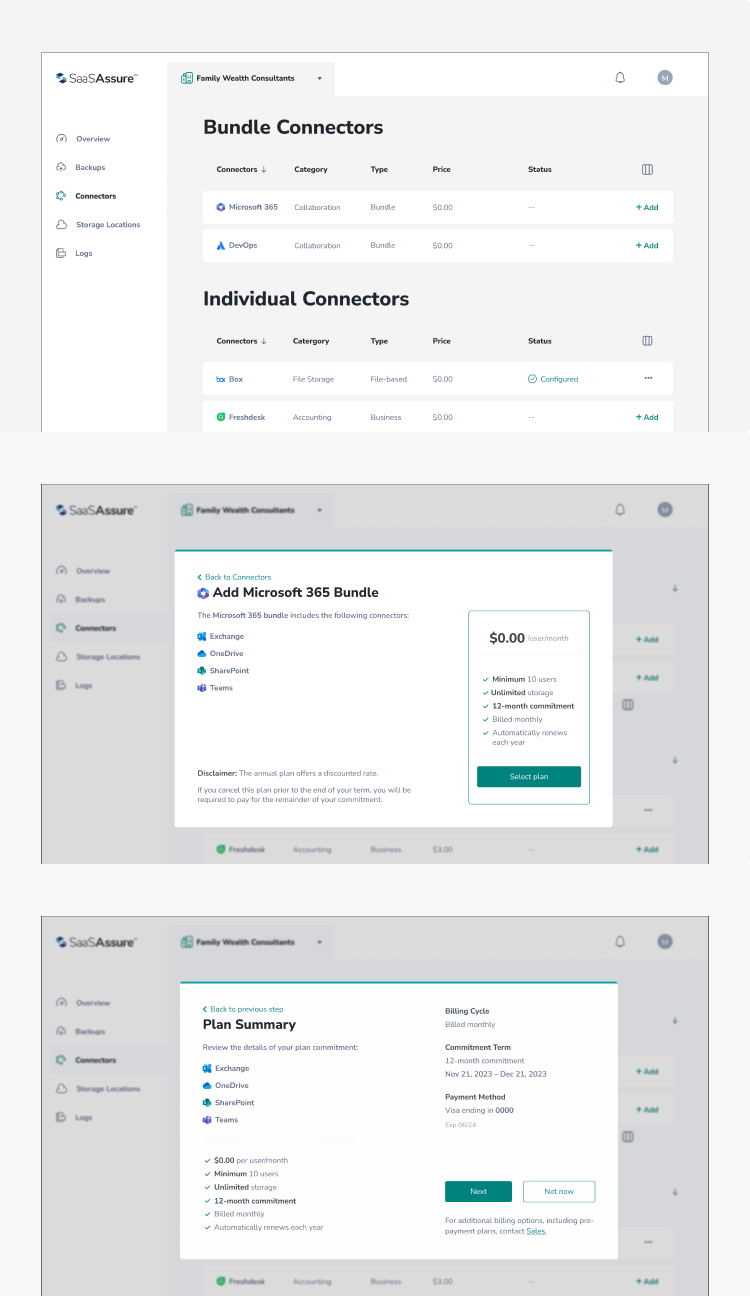
My goal was to simplify the connector experience. From onboarding to authentication and subscription management, make it easier for users to get started, manage their connectors, and understand pricing.Working closely with product managers and engineers, I mapped the end-to-end design and identified key friction points in setup, plan management, and trust communication. The following flows illustrate how we redesigned each step to reduce complexity, increase clarity, and create a more flexible, self-serve experience.
Improvement results
Users were tracked using Pendo, allowing us to view data daily and after a few months. It will enable us to calculate comparison data.
This feature enables us to calculate comparative data. Following the redesign, we observed a 30% increase in user adoption with SaaS Assure. This improvement enhanced efficiency by adding and removing the Connector without impacting billing or plan commitments.
Problem and Solution
The platform did not allow users to seamlessly add or remove connectors without incurring additional fees. This design aimed to enhance the user experience of SaaSAssure by decoupling the process of selecting a plan and adding or removing connectors without impacting billing or plan commitment. I also ensured it was easy to add and complete the application authentication.
Redesign
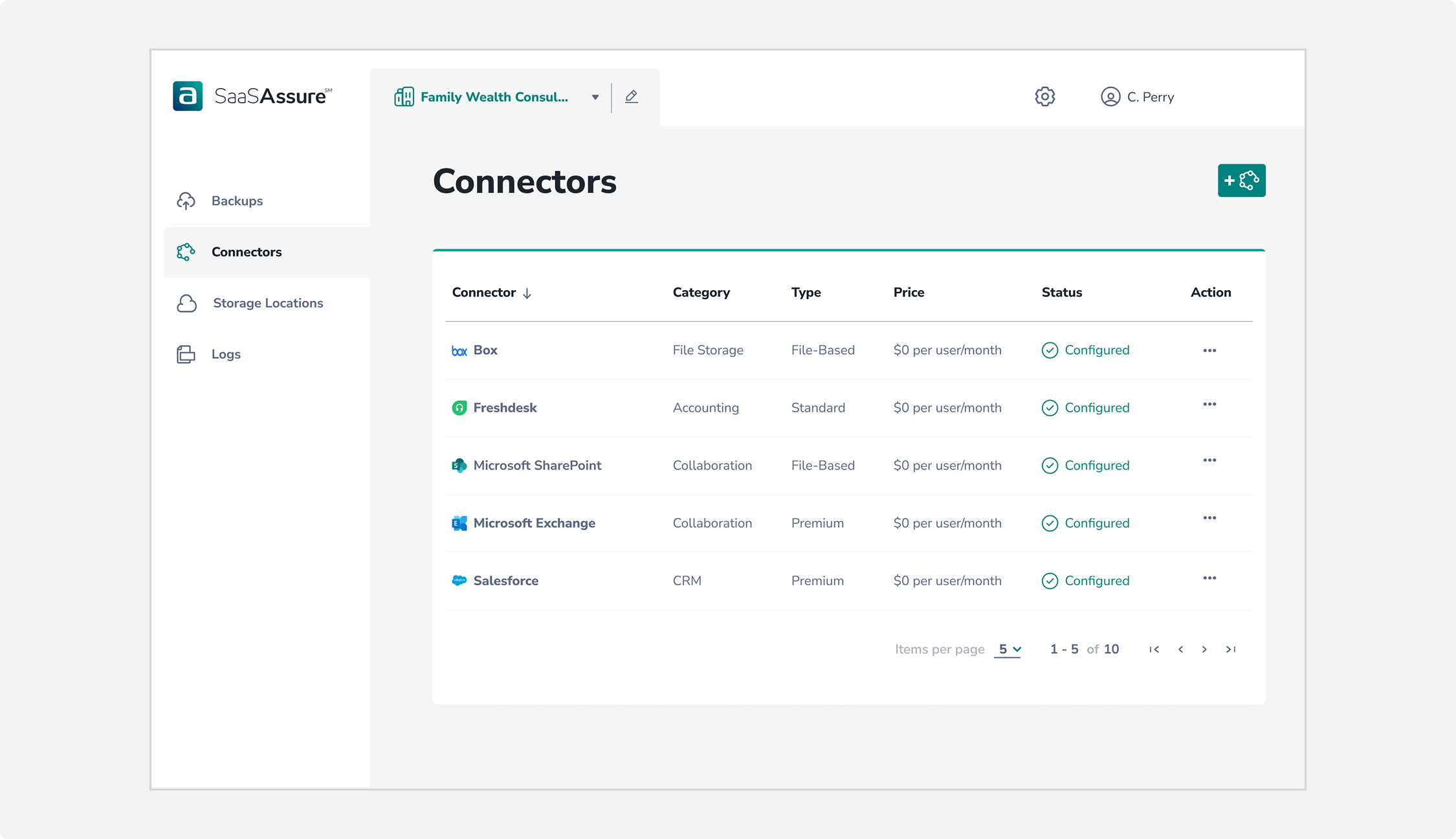
This design aimed to enhance the user experience of SaaSAssure by decoupling the process of selecting a plan and adding or removing connectors without impacting billing or plan commitment. I also ensured it was easy to add and complete the application authentication.
Bundle...struggles
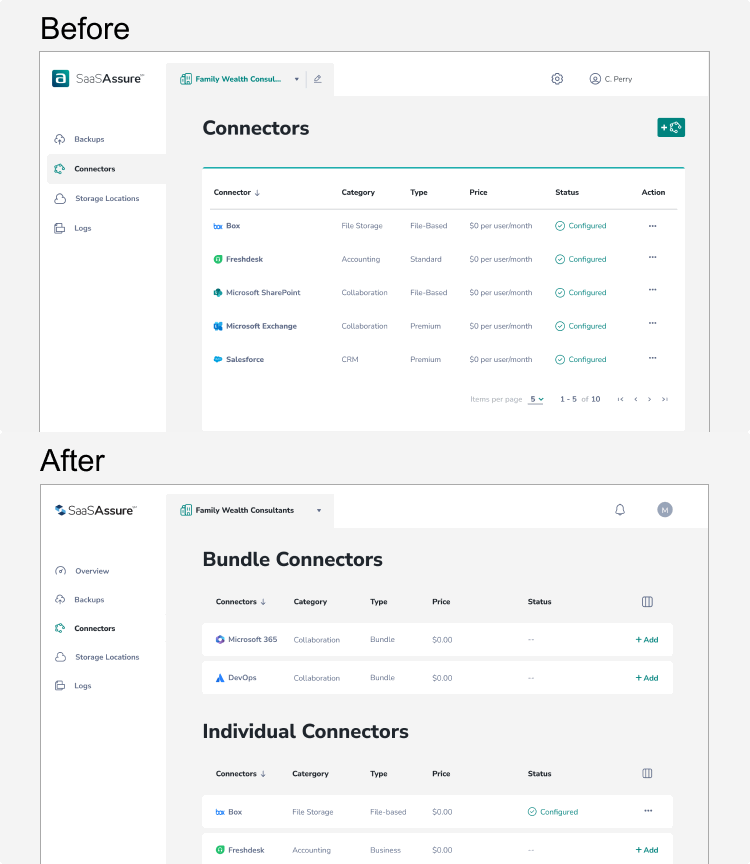
One of the biggest challenges in this project was integrating the new bundle and pricing strategy. Marketing joined the initiative late in the process. After most of the information architecture, core user flows, and rapid design were already established. Their insights on competitive positioning and pricing models were valuable, but hadn’t been accounted for early on. To bridge this gap, I organized dedicated syncs with the marketing team to align on goals, identify areas of flexibility, and weave their input into the product narrative and visual hierarchy, without disrupting the user experience or adding unnecessary complexity to the flow.
Below is a comparison between the initial and final designs, highlighting how the interface evolved to improve clarity, hierarchy, and overall usability
Seamless connection
Users can select an account, set custom permissions, and get started - without ever leaving Wander. No context-switching, no friction.
Putting all it together
Users must authenticate with the SaaS application using their existing credentials to access the data. During the free trial, the user only goes through the authentication process. The price only becomes effective after 14 days.
Connectors are categorized into bundles and individual connectors. Users selecting bundles in a paid plan commit automatically to a 12-month subscription.
Users are charged for any additional connectors that are added to the platform.
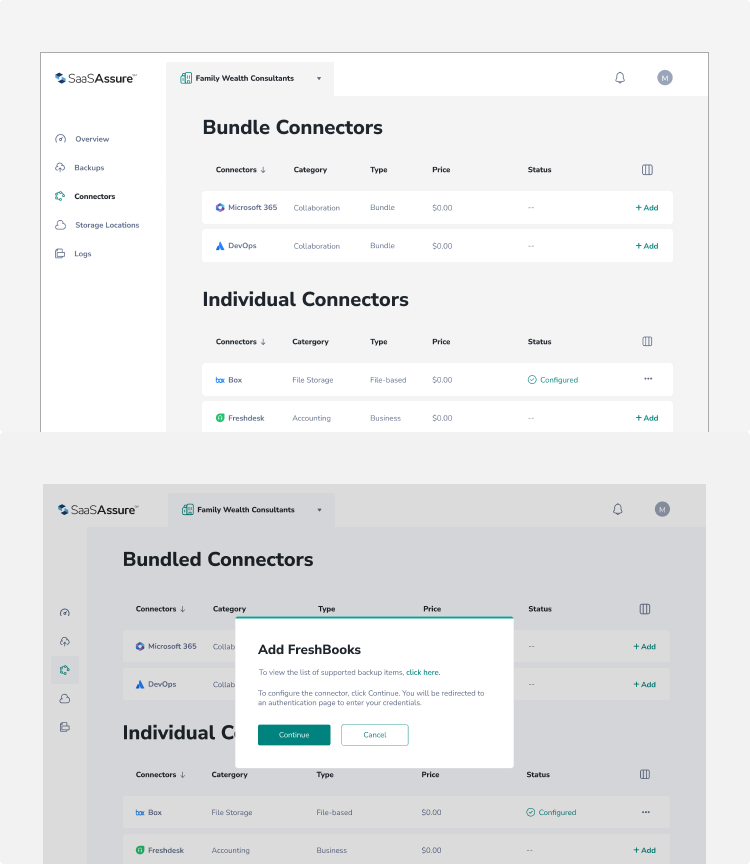
User navigates to the Connectors section and clicks Add Connector to begin setup. They choose FreshBooks from the list, complete the required fields in the Add FreshBooks modal, and select Configure Jira to proceed. The user is then redirected to the FreshBooks website for configuration and, upon completion, returns to the Connectors list page where the newly added Jira connector is configured.